6:00–22:00 Book online 24/7
Home How Your Visit Works Equipment Gallery Booking Payment Terms of Use FAQ & Contact Franchise Book now (Okazaki Kitano)
First Guide

First Time at 1on1?
How Your Visit Works

For first-time visitors to 1on1.
Follow the full process step by step, from preparing for your visit to arrival, washing, cleanup, and departure.

Your visit in 5 steps

From booking to leaving — follow these steps in order and you will not get lost.

  1. 1Book
  2. 2Arrive
  3. 3Set up
  4. 4Wash
  5. 5Finish up
STEP1

Book your time slot

Book online or through our Official LINE account.

  • Make sure the payment went through and your booking is confirmed.
  • Note the 4-digit code for the cabinet. It is in your booking confirmation email (or in your LINE chat if you booked via Official LINE).
Sponges and microfiber towels are provided, but if you are particular about your gear, bring your own.
STEP2

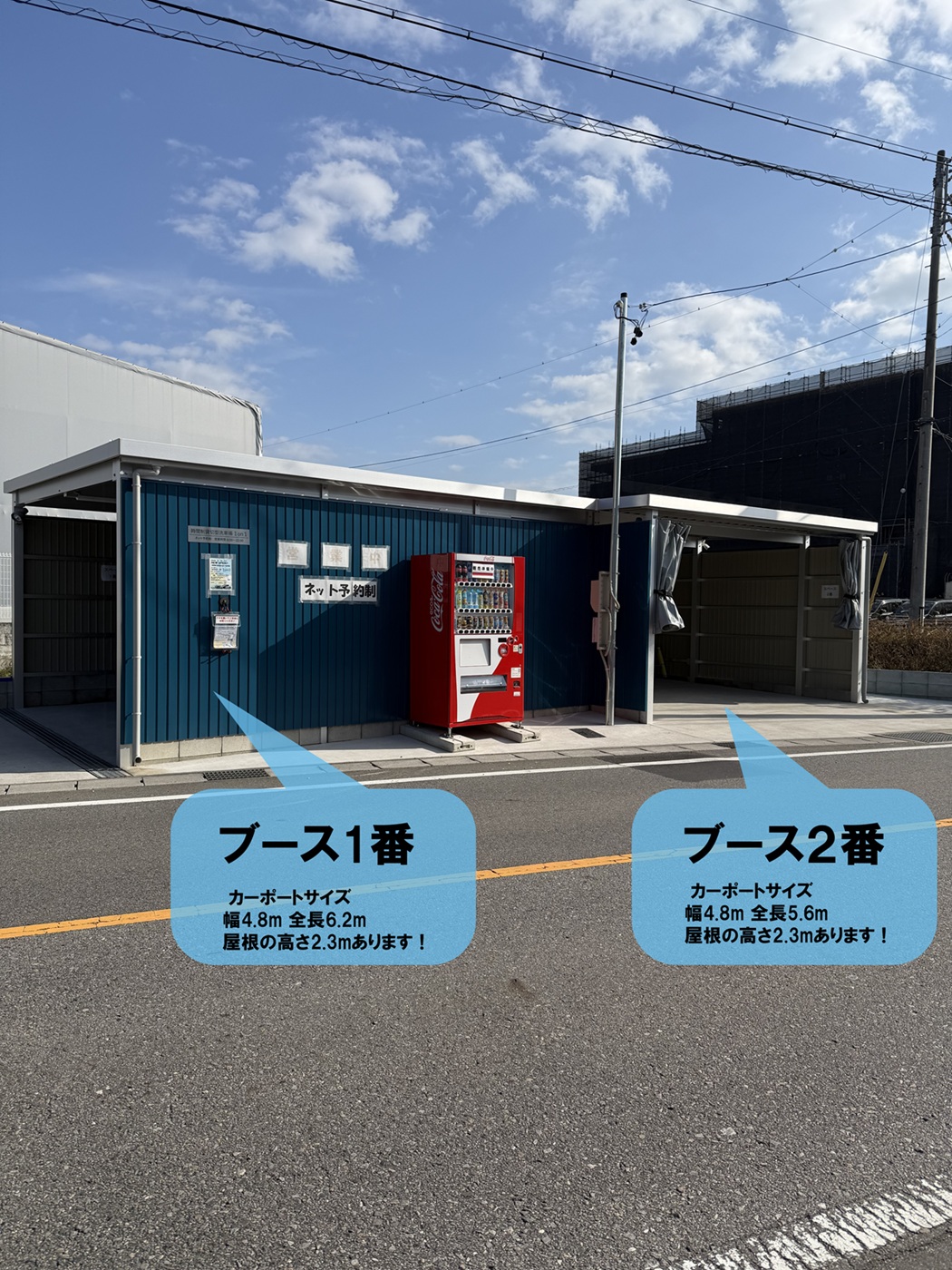
Arrive and park

Check which bay number you booked, and drive into that bay when your time slot starts.

  • Please do not use any other bay.
  • After parking, check that the area around you is clear.
Parking in the booked bay
STEP3

Set up the equipment

Once you are in the bay, follow these steps in order.

Do this first

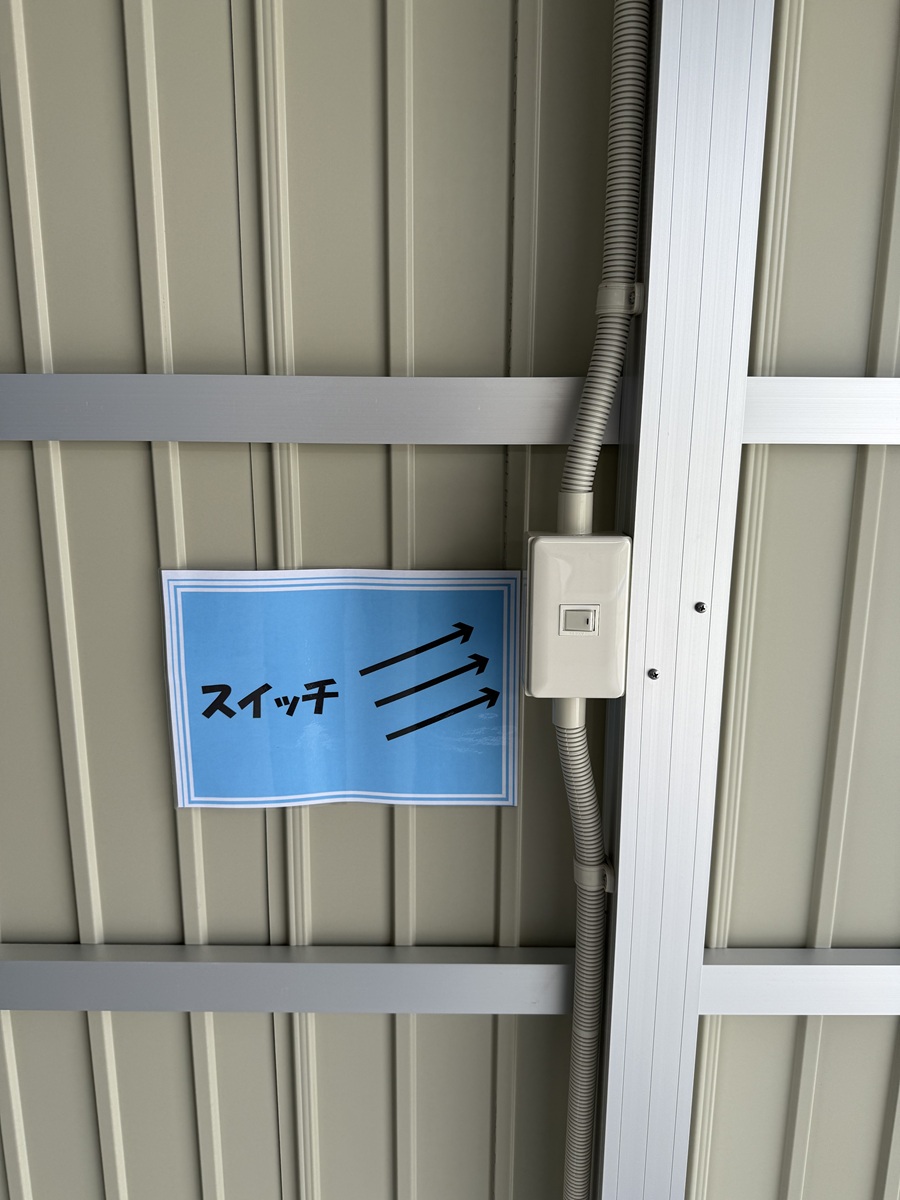
1Turn ON the wall switch near the pillar

This powers the lights and the equipment inside the cabinet.

Turning ON the switch near the pillar
Example: Okazaki Kitano
Top ON Ceiling lights and power inside the cabinet
Bottom ON Pressure washer and fan
Middle Optional Side-wall lights (turn ON only if you need them)

The switch may look different or be in a different place at other locations. Look for the wall switch near the pillar inside your bay.

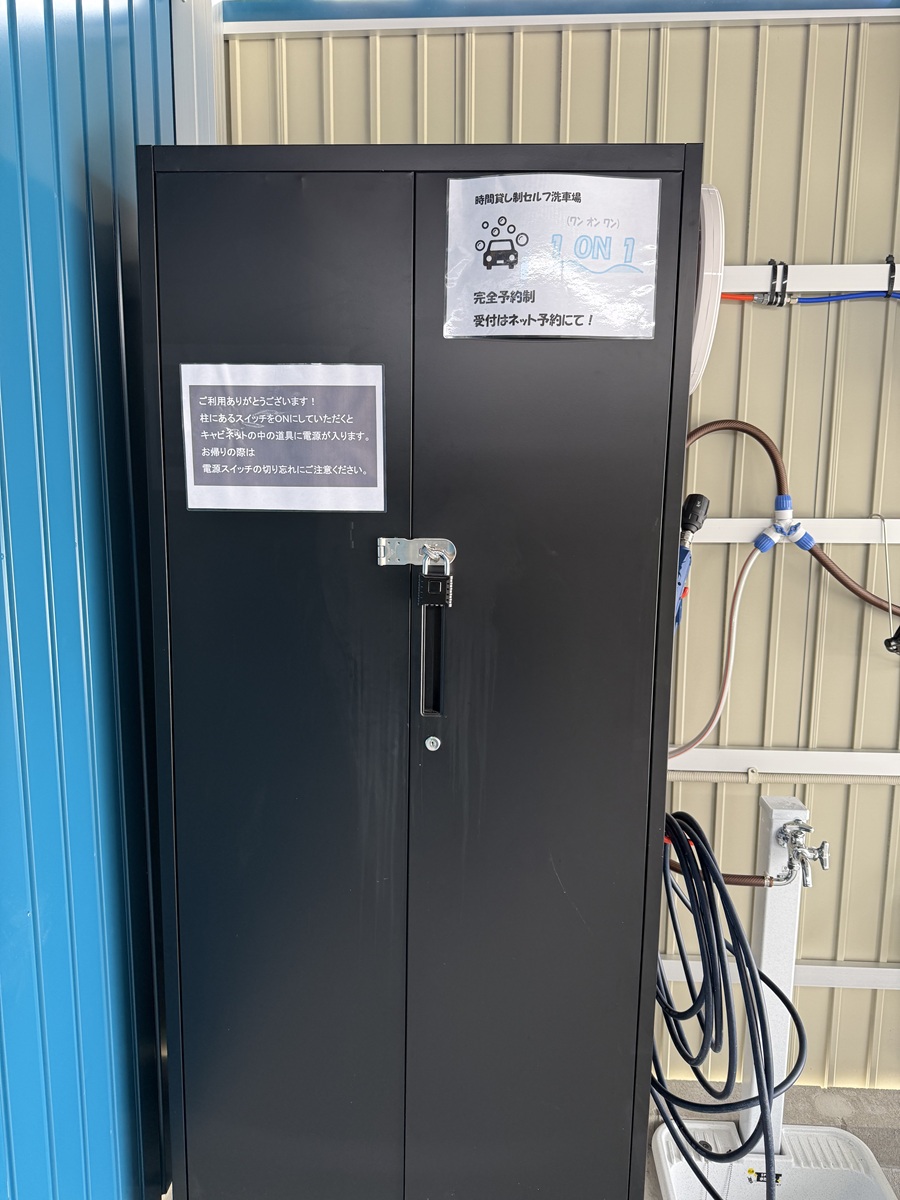
Unlocking the cabinet

2Unlock the cabinet

The cabinet is locked. Set the 4-digit dial on the bottom of the lock to the code from your booking confirmation email (or your LINE chat if you booked via Official LINE).

  • With the 4 digits set, press the square button to unlock.
  • Line up the rotating catch to release the lock.
  • Hook the lock somewhere while you use the bay so you do not lose it.
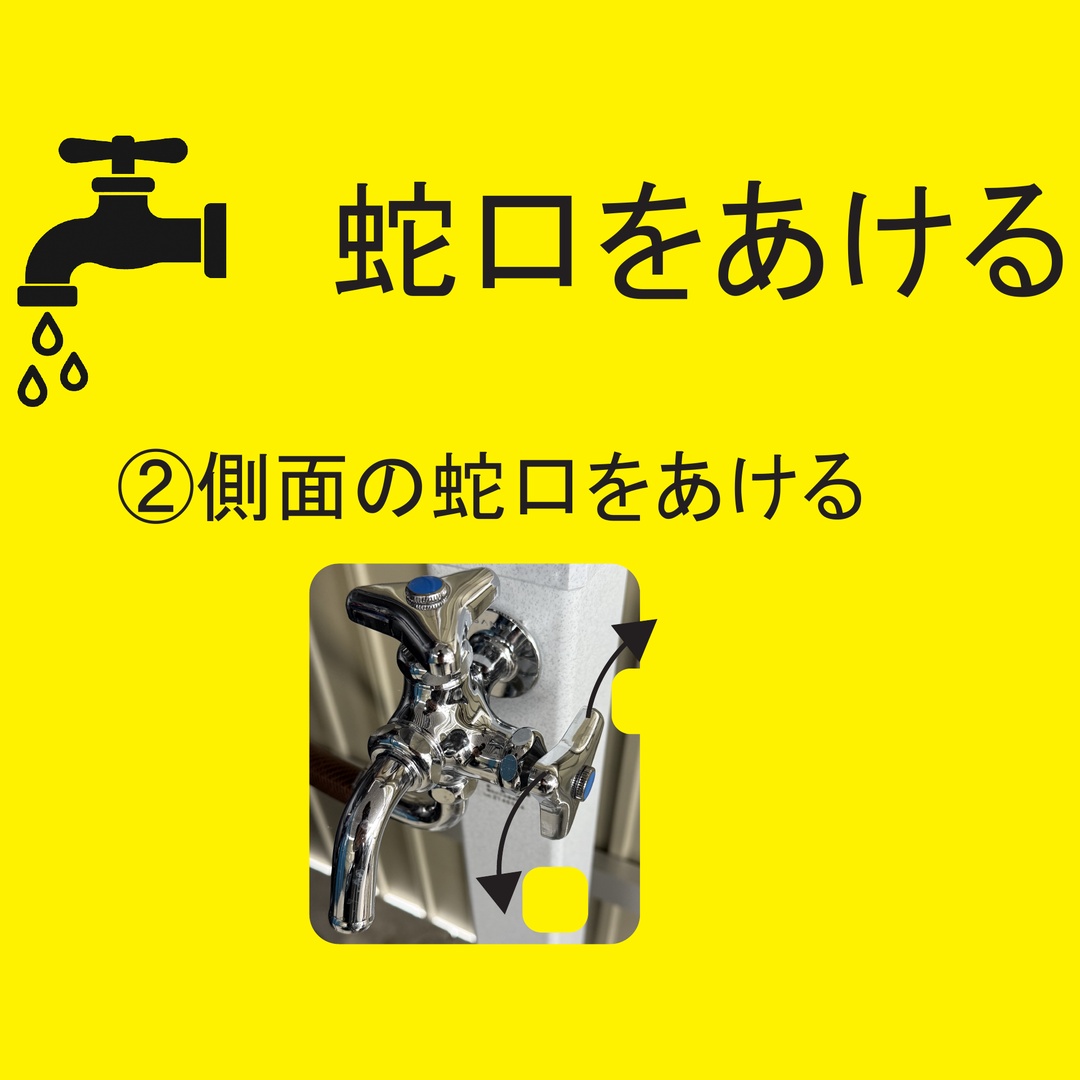
Side water supply valve for the pressure washer

3Open the side water supply valve fully

Open the valve all the way so that water is supplied to the pressure washer.

  • The pressure washer uses the side water valve. Be careful: the front water valve releases water directly.
Check the water supply before switching on

Running the pressure washer without a water supply can damage it. Always open the side valve fully and make sure water is being supplied to the pressure washer before you switch the unit on.

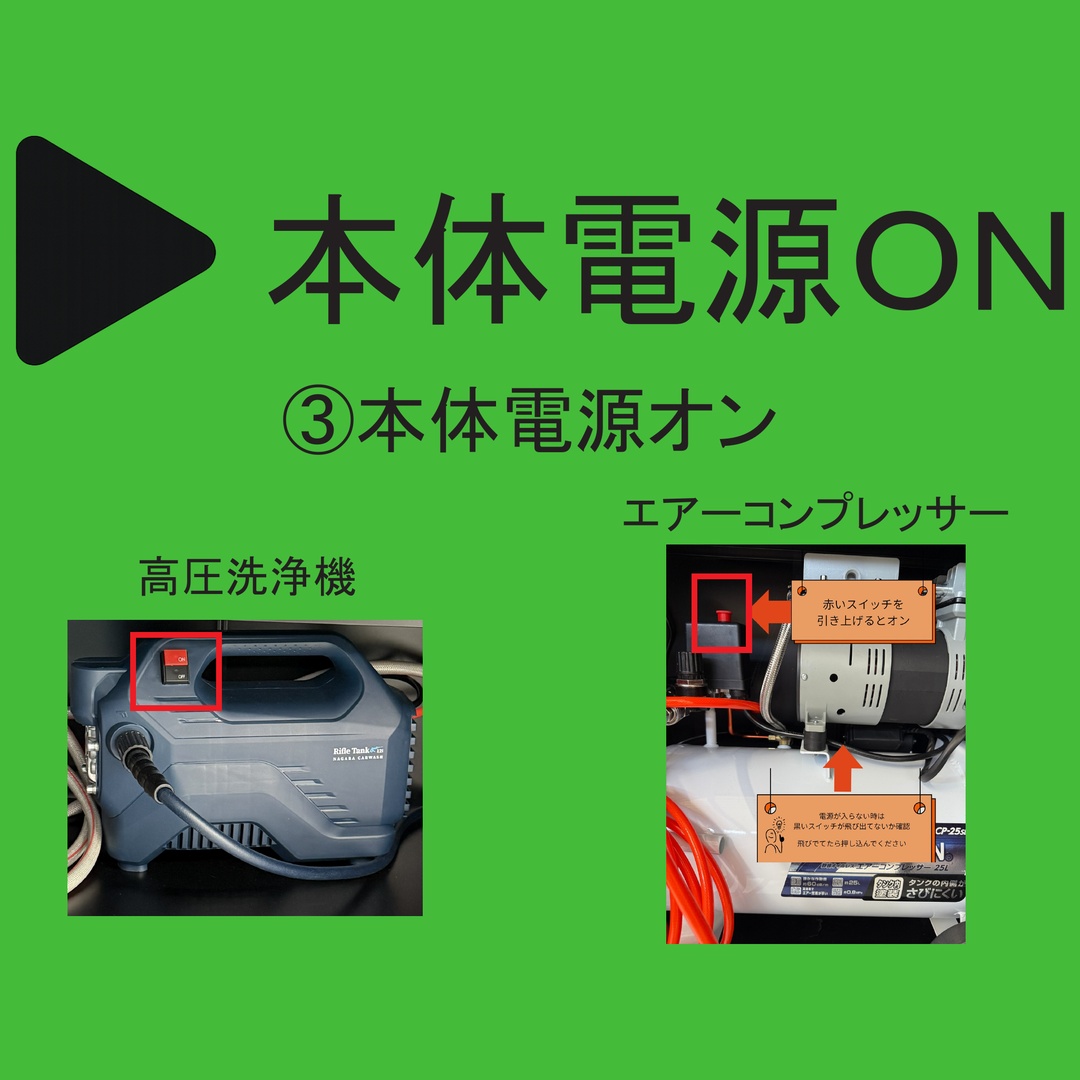
Power switch on the pressure washer

4Switch on the pressure washer

With the side valve fully open and water supplied to the pressure washer, turn ON the power switch on the pressure washer itself.

  • If you use the air compressor, pull up the red switch on the unit to turn it ON.
STEP4

Wash your car

You are all set — wash your car using the pressure washer, the air compressor and the supplies provided.

Detailed instructions for each piece of equipment, and the recommended washing order, are on the Equipment guide page.

STEP5

Clean up and leave

Before your time slot ends, finish up in this order.

  1. Turn OFF the pressure washerIf you used the air compressor, turn it OFF on the unit as well.
  2. Close the water valve
  3. Put all equipment and supplies back where they wereNever let the hose snap back. Always guide it slowly by hand.
  4. Lock the cabinet
  5. Turn OFF the wall switchTurn OFF every switch you turned ON.
  6. Drive out before your time slot ends
Please take your trash with you.

If something goes wrong

If the equipment is not working, check these pages right where you are.

  • If the issue is not resolved, select the location you used on the support page and contact us through that location’s Official LINE.

Looking for something specific?

If you want to find information based on your current situation or what you want to do, use the Getting Started & General Guide.

Browse the general guide →

Ready? Book your time slot and come on in.

Reservations mean no waiting — just drive in and start.

This takes you to “Choose your location” on the booking page, where you can book each location online or via Official LINE.